Read the results
The dashboard
Every trace in your project, the stage each one failed at, and the proof.
Traces#
The first page is the list of every trace your project has received.
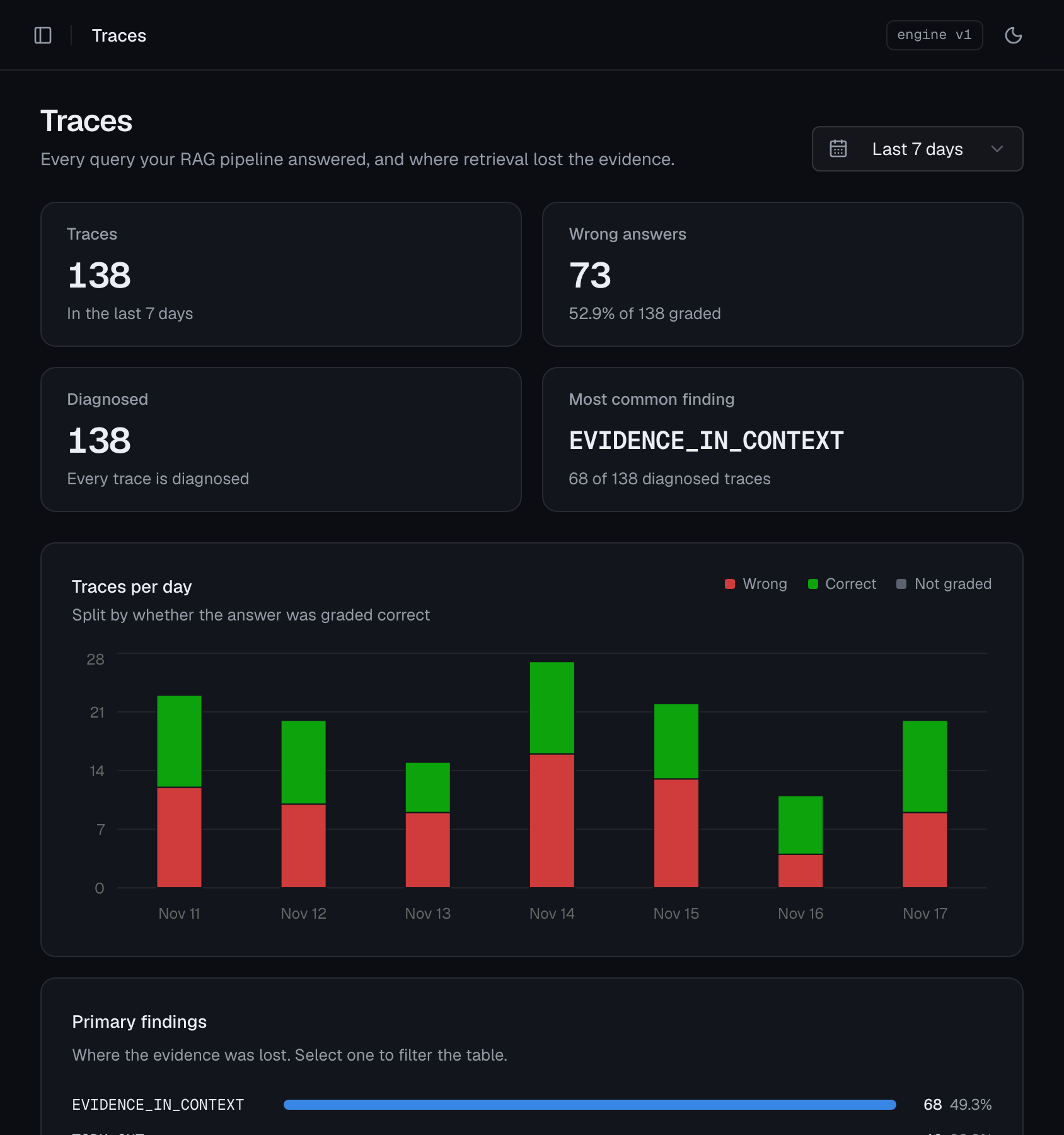
- The numbers at the top count traces, wrong answers, and the most common finding in the period you chose.
- Traces per day splits each day by whether you graded the answer correct, wrong, or not at all. That grade is the
answer_correctyou pass tofinish(). - Primary findings ranks the reasons evidence was lost. Select one to filter the table to those traces.
Below them is the table: when each trace arrived, its app, the query, its primary finding, and whether the answer was right.
Filter and share#
Choose a time range (24 hours to all time; 30 days by default), then narrow by finding, answer, app, environment, or text in the query. Filters apply as you choose them.
Everything you choose is in the address bar, so a link reproduces the view:
https://chunktrace.com/traces?range=7d&finding=TOPK_CUTOne trace#
Open a row to see a single query.
At the top: the question, the primary finding, whether the answer was right, and the details you sent (app, model, label, answer).
Pipeline#
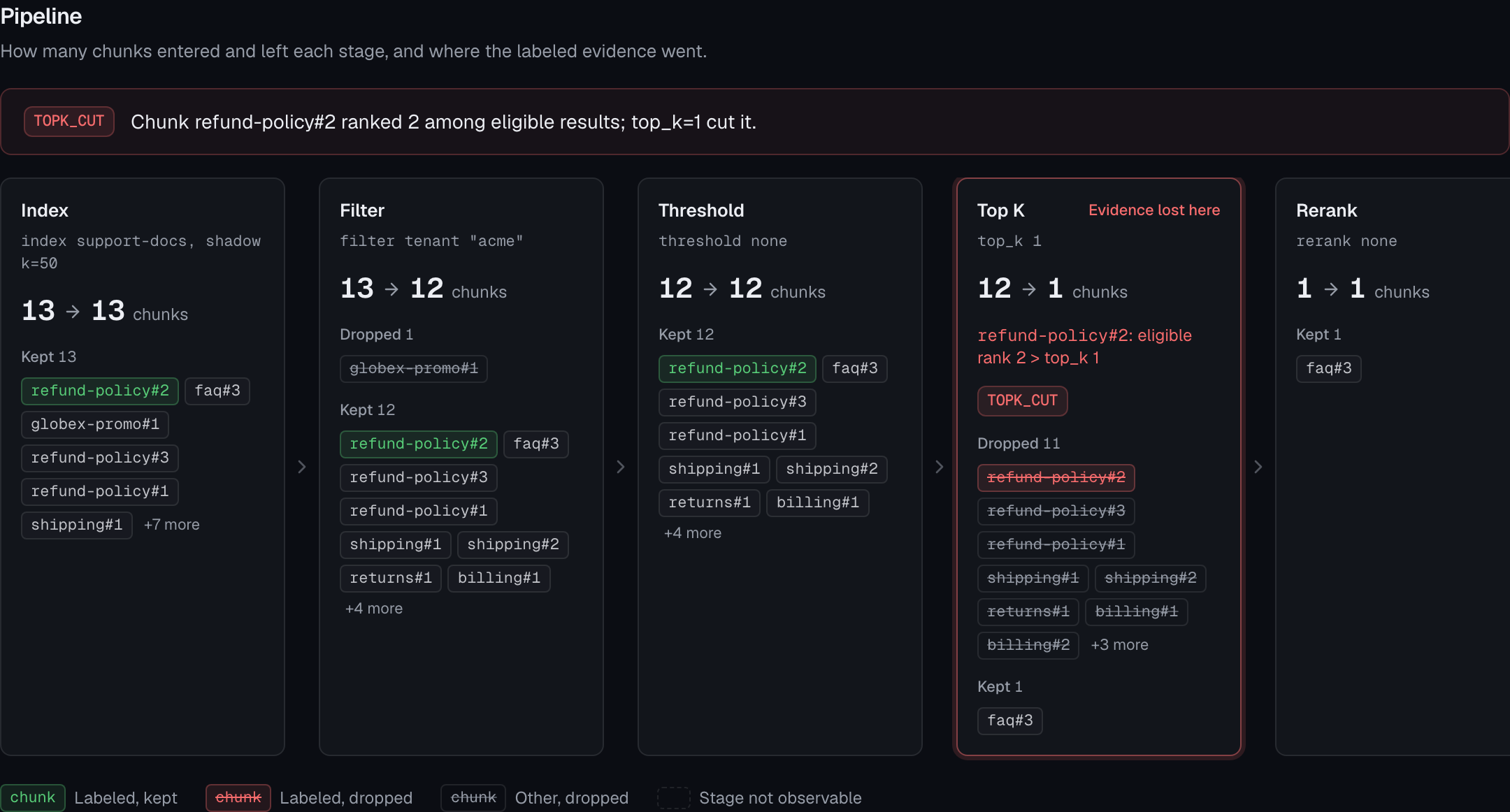
Each card is a stage: Index, Filter, Threshold, Top K, Rerank, Context, Generate. A card shows how many chunks came in, how many went out, and which ones were kept or dropped.
- A green chunk is one your label matched. Follow it left to right.
- A red, struck-through chunk is a labeled chunk dropped at that stage. The card is marked Evidence lost here.
- A dashed card is a stage the trace couldn't observe, because it has no shadow query.
Findings#
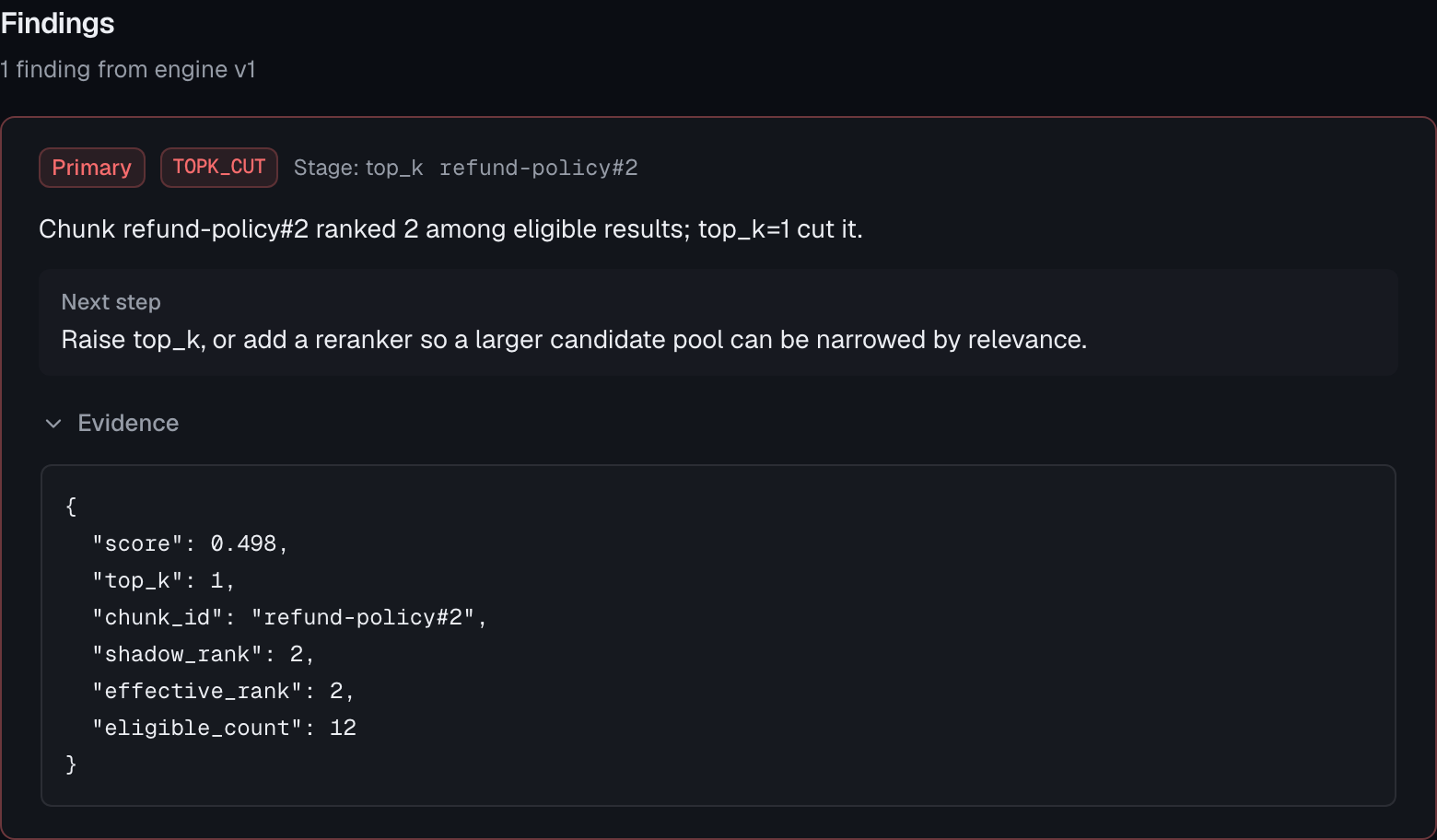
Each finding has a code, a sentence saying what happened, a next step, and the evidence: the values from the trace that make the finding true. The primary finding comes first. Finding codes explains each one.
The raw trace, exactly as it was sent, is at the bottom of the page.
Settings#
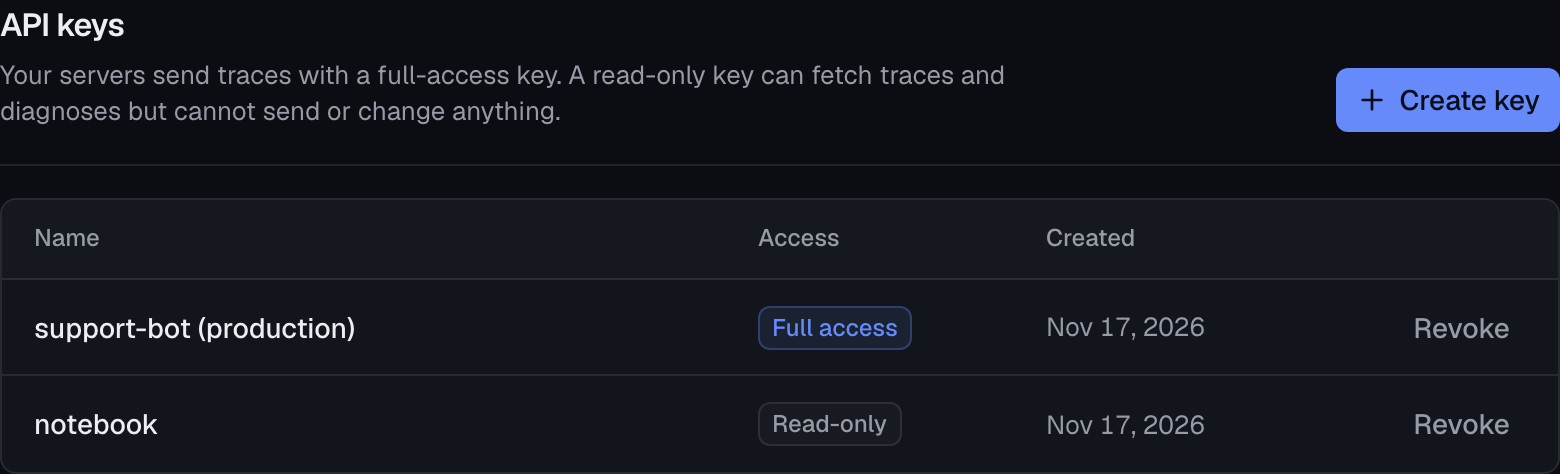
- API keys. Create and revoke the project's keys. A full-access key sends traces and manages keys: keep it on your servers. A read-only key can only fetch traces and diagnoses. A key's secret is shown once, when you create it.
- Account. Change your password, or sign out of every browser at once.
- Theme. Light, dark, or the same as your system.
Name a key after where it runs. When you revoke it, you'll know what stops.
Help#
These docs are in the dashboard too, under Help in the sidebar. Architecture opens how the parts fit together.